Surelc Online Contracting
Ascendrium Partners is The Advisor Launchpad™ for financial professionals ready to build more premium, authority-driven practices. Ascendrium helps advisors elevate their positioning, strengthen client conversations, and create businesses with greater income, control, impact, and legacy.
ECA Marketing serves as the Field Marketing Organization (FMO) providing: Carrier contracts, New business processing, Back-office and case support.
Access & Instructions
This page provides step-by-step instructions for creating your SureLC profile and submitting carrier contracting requests.
SureLC is the secure contracting platform used by ECA Marketing to manage carrier appointments and electronic signatures.
Step #1 - LOGIN and PROFILE SETUP:
1. Click the button below to open the SureLC portal.
2. New users:
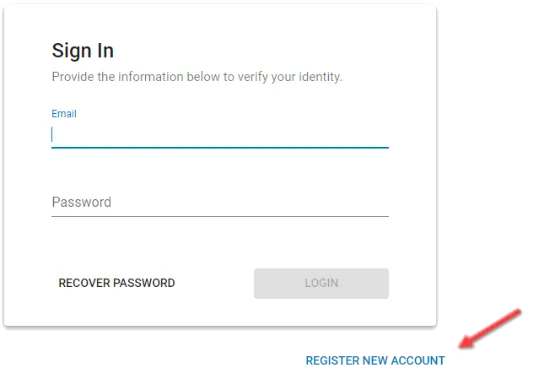
Select Register New Account
Enter the requested information
Click Create Your Account
Existing users with an active SureLC profile through ECA Marketing may log in using their email and password.
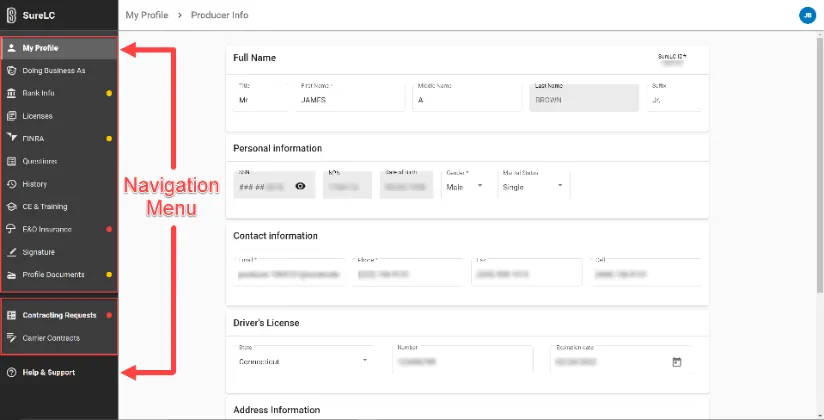
3. From the Navigation Menu, complete all required profile sections:
Personal Information
Licenses
Appointments
Documents
Any missing information will be highlighted in red.
Your profile must be fully completed before submitting contracting requests.
Recommendation: SuranceBay can obtain CE Transcripts and AML Training from select vendors.
To link the accounts, go to the CE & TRAINING tab > select ADD NEW ACCOUNTS > Choose CE vendor > input your username and password associated with the CE vendor account
STEP #2 - Submitting Contracting Requests
1. From the Navigation Menu, select:
Contracting Requests → Create Request
2. Select the carrier name from the dropdown menu and follow the on-screen prompts.
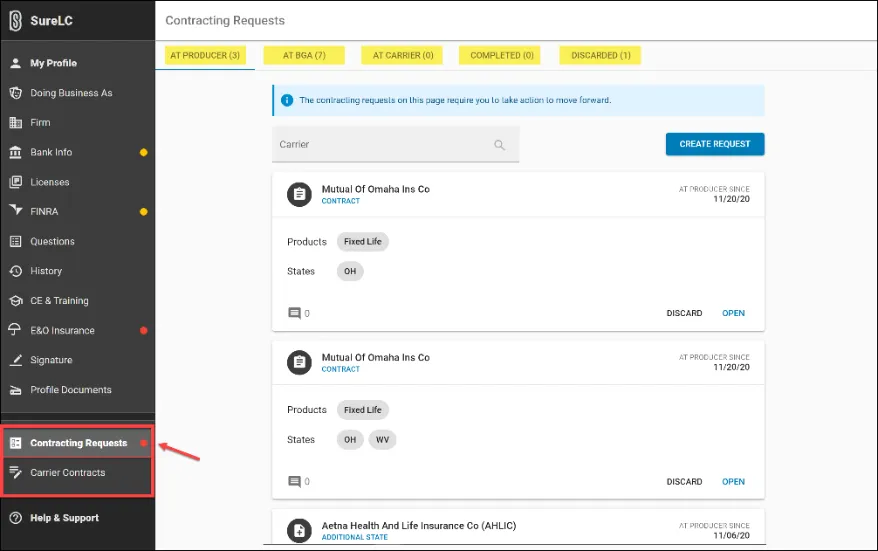
3. The contract will populate automatically.
Review the document, scroll to the bottom, and select:

4. An electronic signature popup will appear.
Review the acknowledgement and select Sign.
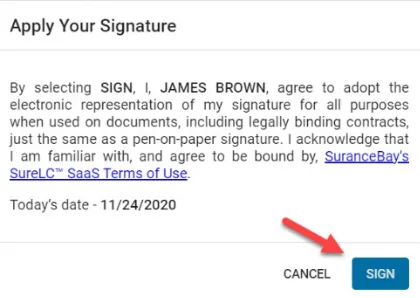
5. Once submitted, ECA Marketing is automatically notified and will process the request.
Important Notes
This page is administrative only
No strategy discussions occur during contracting
Contracting does not obligate production
You remain an independent advisor or agency
Carrier approval timelines vary
For questions related to carrier status or processing, contact:
Jenny Osborn, [email protected], 800.356.4189 ext.2217
Ascendrium Partners provides advisor education and onboarding coordination.
ECA Marketing provides carrier contracting and back-office processing through SuranceBay.
Advisors operate independently under their own brand.
© 2026 Ascendrium Partners. All rights reserved | Privacy Policy